-
E-mail
305109379@qq.com
-
Phone
13592795905
-
Address
Room 2402, No. 53 Wanbu Road, Changping Town, Dongguan City, Guangdong Province
Dongguan Liuqin Testing Instrument Co., Ltd
How to deal with the fault problem of electromagnetic vibration table test bench
Date: 2025-12-30Read: 8
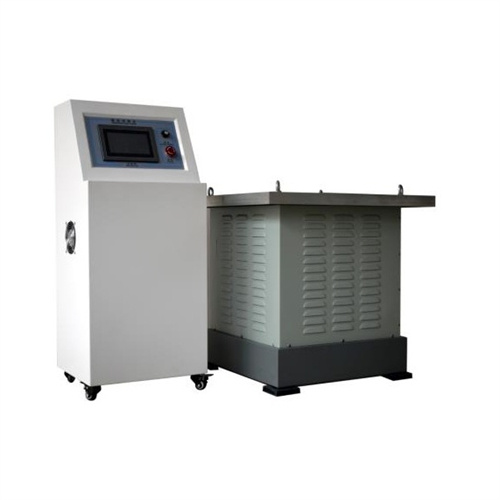
The electromagnetic vibration table simulates the vibration environment to detect phenomena such as structural strength, material wear, deviation of standard values of components, poor contact of components, circuit short circuits, and intermittent instability of products, and to screen defective parts in advance.
Fault 1: Electromagnetic vibration table cannot be connected to computer control (with microcomputer model)
1. Check if the cables around the computer are connected correctly, please reconnect and confirm again;
2. Check if the RS232 wiring port is connected and in good contact, and reconnect it again;
3. Check if the power switch of the vibration table control box is turned on again. If it is not turned on, please press ON (i.e. turn on the vibration table power);
4. Then check if the RS232 serial port computer setting is COM2 or COM1, and replace the setting;
5. Correctly open the program screen, check if it is set correctly, refer to the computer operation manual for setting steps.
Fault 2: The electromagnetic vibration table cannot stop after the set time
1. Check if the operation steps are set correctly and recheck according to the instructions;
2. Check if the internal code is correct and recheck it according to the parameter table to ensure it is correct;
3. Shut down, set the internal code, and follow the operating steps to set it up;
Fault 3: Abnormal noise during operation of the platform
1. To the naked eye, it appears to be an abnormal noise from the binding contact surface of the test object. Please re bind or check the table body;
2. Check if the internal spring steel plate of the platform is broken. If so, measure the size and inform Liuqin Technology to send it to your company;
Fault 4: The computer program displays certain numbers and prompts to contact Liuqin Technology with a shouquan code
1. Check if the computer is working properly (not connected to the vibration table);
2. Confirm whether your company has added other external devices to the computer or used them for other purposes;
3. Check if the communication line is broken or if the insulation layer is peeling off;
4. The vibration test bench may have lost system files or forgotten passwords due to personnel issues or self modifications. In such cases, please contact Liuqin Technology and send the computer back to reset it.