-
E-mail
3112123246@qq.com
-
Phone
13771935497
-
Address
Room 1102, International Science and Technology Building, No. 112 Yingchun South Road, Wuzhong District, Suzhou City
Product Categories
- Stainless steel platform scale
- Belt weighing scale
- Spoke type weighing sensor
- High precision weighing scale/automatic weighing machine
- Logistics volume scale automatic weighing scanning code
- Explosion proof weighing module
- printer
- Automatic weight sorting scale
- Prises electronic balance
- Intelligent electronic scale
Suzhou Golden Diamond Weighing Equipment System Development Co., Ltd
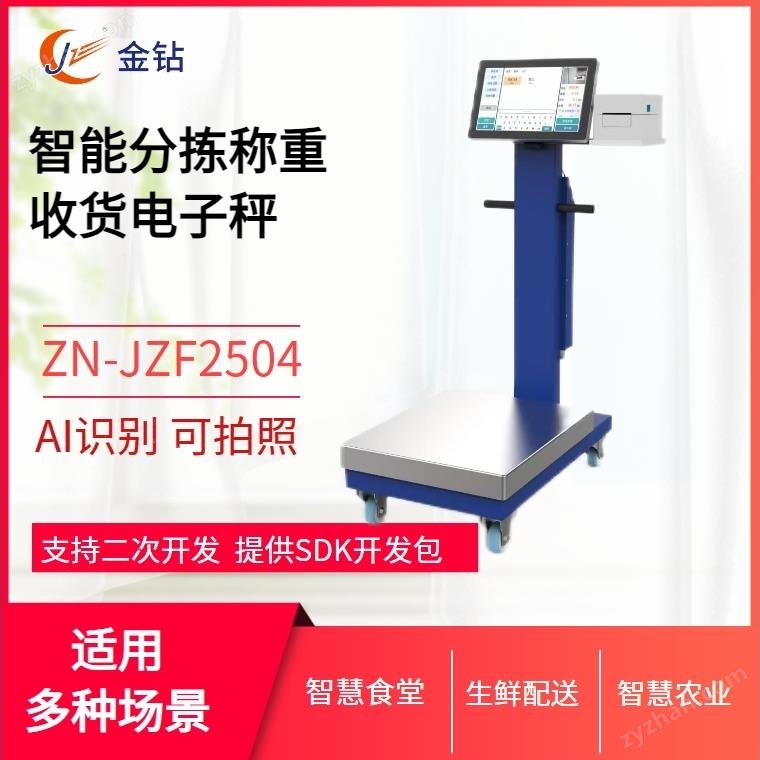


Smart canteen weighing equipment
NegotiableUpdate on 01/05
- Model
- Nature of the Manufacturer
- Producers
- Product Category
- Place of Origin
Overview
Smart canteen weighing equipment $r $n Specification parameters: $r $n Range: 100kg-500kg Accuracy: 1/3000 Product features: integrates PC, weighing, printing, scanning box, card swiping, camera, large capacity battery pack, etc. It can be moved with wheels $r $n Classic style, various configurations can be flexibly matched to support Windows and Android systems
Product Details
Smart canteen weighing equipment
Specifications:
Range: 100kg-500kg Accuracy: 1/3000 Product Features: Integrated with PC, weighing, printing, scanning box, card swiping, camera, large capacity battery pack, etc., movable with wheels
Classic style, various configurations can be flexibly matched to support Windows and Android systems
Application Scenario:
Examples applicable to industries such as smart kitchens, smart restaurants, smart agriculture, and medical waste:
The supplier will use the "intelligent electronic scale" for self weighing when delivering goods to the school. The weighing data will be automatically written into the acceptance form and cannot be modified. At the same time, the video camera will record the entire weighing process and save it as evidence on the cloud platform for future reference.
Main functions:
1. Intelligent weighing of ingredients, with weighing data automatically written into the acceptance form of the "Smart Canteen" platform. 2. Weighing ingredients while taking photos of them
3. Video recording of the acceptance process


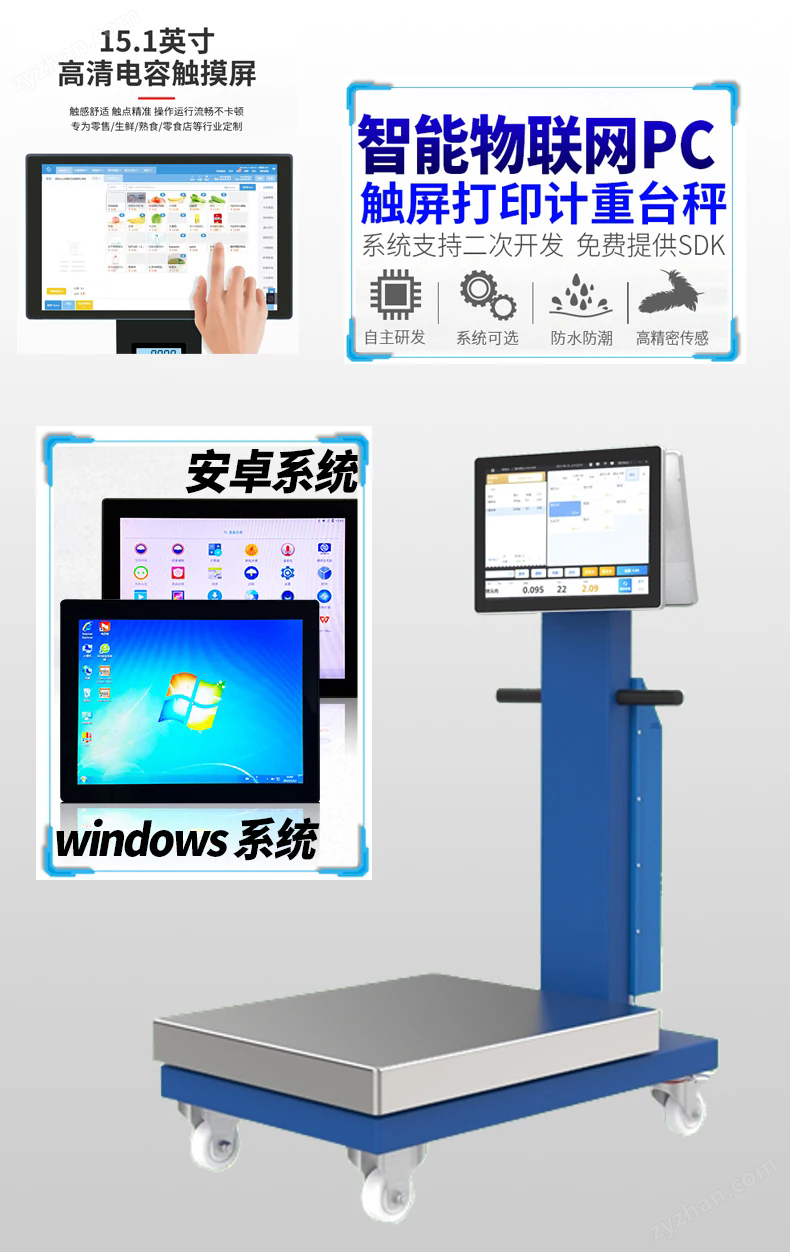

Smart canteen weighing equipment
3、 Attention:
1. Power on does not display: Check if the battery is installed correctly, if the power is sufficient, and if the insulating plastic sheet is removed.
2. After the electronic scale is placed steadily, gently place the object to be weighed on the scale pan. If the weight of the object exceeds the range, quickly remove it and try to take good care of the electronic scale.
3. If you do not use the electronic scale for a long time, please remove the battery to prevent battery leakage from damaging your electronic scale.
Calibration method for household electronic scales:
1. In the shutdown state, first hold down the "MODE" button and then press the "ON/OFF" button. Wait until a set of internal code values appear on the display screen, and then release two buttons. For example, "-7484" will be displayed. Press the "ON/OFF" button again, and you will be prompted to put in the corresponding weight of weight. For example, if a 5000 gram calibration uses a 2000 gram weight, the display screen will prompt "2000". After putting in the corresponding weight of weight, press the "ON/OFF" button again, and the display screen will quickly show "PASS" to indicate that the calibration is complete. After restarting, it can be used normally.
2. If there are no weights, you can weigh the corresponding weight of an object on an electronic balance, such as a glass cup. By adding or subtracting water and making multiple adjustments, you can also obtain a precise weight.
Intelligent electronic scales with camera function are widely used in the following scenarios:
Food industry: Weighing ingredients while taking photos in restaurants, supermarkets, and other places facilitates inventory management and quality control.
Drug management: Weigh and take photos of drugs in pharmacies or hospitals to ensure their accuracy and traceability.
Retail industry: Weighing and taking photos of products in stores for customers to view and confirm product information.
advantage
Improve efficiency: The automatic photography function reduces manual recording time and improves work efficiency.
Accurate recording: The combination of weighing data and photos ensures the accuracy and completeness of item information.
Easy to manage: Through data connection, users can easily manage and query weighing records, improving management efficiency.
Enhanced user experience: Users can visually view photos of weighed items, enhancing their shopping and usage experience.


